
User:Tattecko/VehicleTest: Difference between revisions
Created page with " __NOTOC__ {{V2-VehicleDetails |name=Test Rock Truck |category=Rock Trucks |image=Main_Banner_1.png |description=A test page for the new vehicle details layout. |manufacturer=Example Manufacturer |price=$250,000 |weight=25,000 kg |power=500 HP |capacity=20,000 L |overview= This section contains the vehicle description and general information. |specifications= {{V2-SpecTable |rows= {{!}}- {{!}} Engine Power {{!}} 500 HP {{!}}- {{!}} Weight {{!}} 25,000 kg {{!}}- {{!}} M..." |
mNo edit summary |
||
| Line 1: | Line 1: | ||
Loading older messages… | |||
lets finish vehicle stuff first | |||
Let's finish the Vehicles & Equipment section before moving on to the rest of the Out of Ore Wiki. | |||
We'll keep it simple, consistent and easy to maintain. | |||
Final vehicle structure | |||
Vehicles & Equipment | |||
Category cards for Rock Trucks, Excavators, Loaders, etc. | |||
V2-CategoryPage | |||
Rock Trucks / Excavators / Loaders | |||
Compact vehicle lists with links to individual pages | |||
Individual Vehicle | |||
Banner, page navigation, description, infobox and gallery | |||
V2-VehicleDetails | |||
What we still need to finish | |||
Vehicle main category | |||
Already built with V2-CategoryPage. | |||
Vehicle details template | |||
Banner, overview, infobox and navigation are implemented. We still need to verify the final appearance. | |||
Vehicle subcategory pages | |||
Create a compact, organized list for each vehicle category, without individual cards. | |||
Vehicle navigation | |||
Connect individual vehicle pages to their correct category and make navigation consistent. | |||
Vehicle comparison | |||
Add a simple comparison option after the category listings are working. | |||
Next: Vehicle subcategory pages | |||
I'd create Template:V2-VehicleCategory for Rock Trucks, Excavators, Loaders and other vehicle groups. | |||
It would reuse our existing banner and sidebar, but display a clean list of vehicle names instead of category cards. | |||
This way, you only maintain three vehicle templates: | |||
V2-CategoryPage for the main directory. | |||
V2-VehicleCategory for lists of vehicles. | |||
V2-VehicleDetails for individual machines. | |||
We can build V2-VehicleCategory next, then connect everything together. | |||
next step please | |||
Next, we'll create Template:V2-VehicleCategory. | |||
This will be used for Rock Trucks, Excavators, Loaders, Dozers, Graders, and other vehicle categories. | |||
We'll keep your existing banner and sidebar, but replace the large category cards with a compact list of vehicles. | |||
1. Create the template | |||
Create Template:V2-VehicleCategory | |||
Paste this entire code: | |||
<includeonly>{{V2-PageLayout | |||
|active=vehicles | |||
|content= | |||
{{OOO-Hero | |||
|image={{{image|Main_Banner_1.png}}} | |||
|eyebrow=VEHICLES & EQUIPMENT | |||
|title={{{title|Vehicle Category}}} | |||
|description={{{description|}}} | |||
|link=Vehicles | |||
|button=All vehicle categories | |||
}} | |||
<div class="ooo-v2-vehicle-category-intro"> | |||
{{{intro|}}} | |||
</div> | |||
{{V2-Section | |||
|title=AVAILABLE VEHICLES | |||
|subtitle={{{subtitle|Browse vehicles in this category}}} | |||
}} | |||
<div class="ooo-v2-vehicle-list"> | |||
{{{vehicles|}}} | |||
</div> | |||
<div class="ooo-v2-bottom"> | |||
[[Vehicles|← All vehicle categories]] • | |||
[[Main Page|Wiki homepage]] | |||
</div> | |||
}}</includeonly><noinclude> | |||
Reusable V2 vehicle category page. | |||
Usage: | |||
<pre> | |||
{{V2-VehicleCategory | |||
|title=Rock Trucks | |||
|image=Main_Banner_1.png | |||
|description=Browse rock trucks available in Out of Ore. | |||
|intro=Rock trucks are used to transport mined materials. | |||
|vehicles= | |||
* [[Example Rock Truck 01]] | |||
* [[Example Rock Truck 02]] | |||
* [[Example Rock Truck 03]] | |||
}} | |||
</pre> | |||
</noinclude> | |||
2. Add CSS | |||
Open MediaWiki:Common.css and add: | |||
/* ========================================== | |||
V2 VEHICLE CATEGORY | |||
========================================== */ | |||
.ooo-v2-vehicle-category-intro { | |||
margin: 20px 0 28px; | |||
line-height: 1.7; | |||
} | |||
.ooo-v2-vehicle-list { | |||
background: #202124; | |||
border: 1px solid #3c3f42; | |||
border-radius: 8px; | |||
padding: 10px 20px; | |||
} | |||
.ooo-v2-vehicle-list ul { | |||
list-style: none; | |||
margin: 0; | |||
padding: 0; | |||
} | |||
.ooo-v2-vehicle-list li { | |||
margin: 0; | |||
padding: 12px 8px; | |||
border-bottom: 1px solid #383838; | |||
} | |||
.ooo-v2-vehicle-list li:last-child { | |||
border-bottom: none; | |||
} | |||
.ooo-v2-vehicle-list li a { | |||
color: #eeeeee !important; | |||
text-decoration: none !important; | |||
font-weight: 500; | |||
} | |||
.ooo-v2-vehicle-list li a:hover { | |||
color: #e5b62e !important; | |||
} | |||
3. Test a Rock Trucks category page | |||
Create or edit a sandbox page: | |||
User:Tattecko/RockTrucksSandbox | |||
Paste: | |||
__NOTOC__ | |||
{{V2-VehicleCategory | |||
|title=Rock Trucks | |||
|image=Main_Banner_1.png | |||
|description=Browse rock trucks available in Out of Ore. | |||
|intro= | |||
Rock trucks are designed to transport mined materials around the mining site. | |||
|vehicles= | |||
* [[Example Rock Truck 01]] | |||
* [[Example Rock Truck 02]] | |||
* [[Example Rock Truck 03]] | |||
* [[Example Rock Truck 04]] | |||
* [[Example Rock Truck 05]] | |||
}} | |||
These vehicle names are placeholders. | |||
Expected result | |||
The page should display: | |||
Your existing hero banner. | |||
A short category description. | |||
A compact list of vehicle names linking to individual vehicle pages. | |||
Navigation back to the main Vehicles directory. | |||
One important detail: The list is currently maintained manually. That keeps it simple and avoids needing additional extensions or JavaScript. | |||
Once this works, we'll connect the vehicle category and vehicle details pages with proper navigation. | |||
ok, next | |||
Next, let's connect the vehicle category pages to individual vehicle pages so navigation works properly throughout the wiki. | |||
We won't create any new templates for this step. We'll update the existing V2-VehicleDetails. | |||
1. Update the vehicle details navigation | |||
Currently, every vehicle page has a button labeled All vehicles, which always links to Vehicles. | |||
Instead, it should link back to the vehicle's actual category. | |||
For example: | |||
Vehicles & Equipment → Rock Trucks → Rock Truck 01 | |||
Open Template:V2-VehicleDetails. | |||
Find this section: | |||
|link=Vehicles | |||
|button=All vehicles | |||
Replace it with: | |||
|link={{{categorypage|Vehicles}}} | |||
|button=Back to {{{category|Vehicles}}} | |||
2. Update the bottom navigation | |||
Find: | |||
<div class="ooo-v2-bottom"> | |||
[[Vehicles|← All vehicles]] • | |||
[[Main Page|Wiki homepage]] | |||
</div> | |||
Replace it with: | |||
<div class="ooo-v2-bottom"> | |||
[[Vehicles|Vehicles & Equipment]] | |||
› | |||
[[{{{categorypage|Vehicles}}}|{{{category|Vehicles}}}]] | |||
› | |||
{{{name|Vehicle Name}}} | |||
</div> | |||
This gives each vehicle page a simple breadcrumb trail. | |||
3. Update individual vehicle pages | |||
For example, a rock truck page would use: | |||
{{V2-VehicleDetails | |||
|name=Rock Truck 01 | |||
|category=Rock Trucks | |||
|categorypage=Rock Trucks | |||
|image=Main_Banner_1.png | |||
|description=Heavy mining truck. | |||
|price=$250,000 | |||
|unlocklevel=12 | |||
|weight=25,000 kg | |||
|power=500 HP | |||
|capacity=20,000 L | |||
|overview= | |||
Vehicle description goes here. | |||
|controls= | |||
Vehicle controls go here. | |||
}} | |||
Example vehicle and specification values are placeholders. | |||
The important new parameter is: | |||
|categorypage=Rock Trucks | |||
You can use the same template for all vehicle categories: | |||
Vehicle category | |||
categorypage value | |||
Rock Trucks | |||
Rock Trucks | |||
Excavators | |||
Excavators | |||
Loaders | |||
Loaders | |||
Dozers | |||
Dozers | |||
Graders | |||
Graders | |||
4. Add MediaWiki categories | |||
At the bottom of each individual vehicle page, outside the V2-VehicleDetails template, add: | |||
[[Category:Vehicles]] | |||
[[Category:Rock Trucks]] | |||
Change the second category for other vehicle types. | |||
This also lets MediaWiki organize vehicle pages automatically, independently of our custom visual layouts. | |||
Once you've updated and tested one vehicle page, the navigation between Vehicles → Vehicle Category → Vehicle Details will be in place. | |||
After that, we can finish the vehicle section by adding a simple comparison feature without making the wiki unnecessarily complicated. | |||
so how can i prewiew this | |||
You can preview the complete vehicle page directly in your MediaWiki sandbox, without publishing it as a normal wiki page. | |||
1. Open your test page | |||
Open VehicleTest | |||
2. Paste this example | |||
__NOTOC__ | __NOTOC__ | ||
{{V2-VehicleDetails | {{V2-VehicleDetails | ||
|name= | |name=Rock Truck 01 | ||
|category=Rock Trucks | |category=Rock Trucks | ||
|categorypage=User:Tattecko/RockTrucksSandbox | |||
|image=Main_Banner_1.png | |image=Main_Banner_1.png | ||
|description= | |description=Heavy mining truck designed for transporting materials. | ||
|manufacturer=Example Manufacturer | |manufacturer=Example Manufacturer | ||
|price=$250,000 | |price=$250,000 | ||
|unlocklevel=12 | |||
|weight=25,000 kg | |weight=25,000 kg | ||
|power=500 HP | |power=500 HP | ||
|capacity=20,000 L | |capacity=20,000 L | ||
|fuelcapacity=600 L | |||
|maxspeed=65 km/h | |||
|overview= | |overview= | ||
This | This is an example vehicle description. | ||
Rock trucks are used to transport large amounts of material around mining sites. | |||
|controls= | |controls= | ||
Vehicle controls and | Vehicle controls and operating instructions will appear here. | ||
|notes= | |notes= | ||
Additional information | Additional information about the vehicle. | ||
}} | }} | ||
All vehicle details and specifications above are placeholders for testing the layout. | |||
3. Click Show preview | |||
At the bottom of the MediaWiki editor, click Show preview. | |||
You should see the complete page with the banner, navigation, description, infobox and bottom breadcrumb links. | |||
4. Test the category navigation | |||
Once you save both sandbox pages, you can navigate between them: | |||
Rock Trucks Category | |||
User:Tattecko/RockTrucksSandbox | |||
Rock Truck 01 Details | |||
User:Tattecko/VehicleTest | |||
To make the category link open your test vehicle, edit RockTrucksSandbox and change one vehicle list entry to: | |||
* [[User:Tattecko/VehicleTest|Rock Truck 01]] | |||
Then save both pages and test the links. | |||
Note: The test page's categorypage points to your sandbox. When you create the real vehicle page, change it to Rock Trucks. | |||
Revision as of 18:55, 16 October 2026
Loading older messages… lets finish vehicle stuff first Let's finish the Vehicles & Equipment section before moving on to the rest of the Out of Ore Wiki.
We'll keep it simple, consistent and easy to maintain.
Final vehicle structure Vehicles & Equipment
Category cards for Rock Trucks, Excavators, Loaders, etc.
V2-CategoryPage
Rock Trucks / Excavators / Loaders
Compact vehicle lists with links to individual pages
Individual Vehicle
Banner, page navigation, description, infobox and gallery
V2-VehicleDetails
What we still need to finish Vehicle main category
Already built with V2-CategoryPage.
Vehicle details template
Banner, overview, infobox and navigation are implemented. We still need to verify the final appearance.
Vehicle subcategory pages
Create a compact, organized list for each vehicle category, without individual cards.
Vehicle navigation
Connect individual vehicle pages to their correct category and make navigation consistent.
Vehicle comparison
Add a simple comparison option after the category listings are working.
Next: Vehicle subcategory pages I'd create Template:V2-VehicleCategory for Rock Trucks, Excavators, Loaders and other vehicle groups.
It would reuse our existing banner and sidebar, but display a clean list of vehicle names instead of category cards.
This way, you only maintain three vehicle templates:
V2-CategoryPage for the main directory.
V2-VehicleCategory for lists of vehicles.
V2-VehicleDetails for individual machines.
We can build V2-VehicleCategory next, then connect everything together.
next step please Next, we'll create Template:V2-VehicleCategory.
This will be used for Rock Trucks, Excavators, Loaders, Dozers, Graders, and other vehicle categories.
We'll keep your existing banner and sidebar, but replace the large category cards with a compact list of vehicles.
1. Create the template Create Template:V2-VehicleCategory
Paste this entire code:
Reusable V2 vehicle category page.
Usage:
{{V2-VehicleCategory
|title=Rock Trucks
|image=Main_Banner_1.png
|description=Browse rock trucks available in Out of Ore.
|intro=Rock trucks are used to transport mined materials.
|vehicles=
* [[Example Rock Truck 01]]
* [[Example Rock Truck 02]]
* [[Example Rock Truck 03]]
}}
2. Add CSS
Open MediaWiki:Common.css and add:
/* ==========================================
  V2 VEHICLE CATEGORY
  ========================================== */
.ooo-v2-vehicle-category-intro {
   margin: 20px 0 28px;
   line-height: 1.7;
}
.ooo-v2-vehicle-list {
   background: #202124;
   border: 1px solid #3c3f42;
   border-radius: 8px;
   padding: 10px 20px;
}
.ooo-v2-vehicle-list ul {
   list-style: none;
   margin: 0;
   padding: 0;
}
.ooo-v2-vehicle-list li {
   margin: 0;
   padding: 12px 8px;
   border-bottom: 1px solid #383838;
}
.ooo-v2-vehicle-list li:last-child {
border-bottom: none;
}
.ooo-v2-vehicle-list li a {
   color: #eeeeee !important;
   text-decoration: none !important;
   font-weight: 500;
}
.ooo-v2-vehicle-list li a:hover {
color: #e5b62e !important;
}
3. Test a Rock Trucks category page Create or edit a sandbox page:
User:Tattecko/RockTrucksSandbox
Paste:
Rock trucks are designed to transport mined materials around the mining site.
AVAILABLE VEHICLES Browse vehicles in this category
These vehicle names are placeholders.
Expected result The page should display:
Your existing hero banner.
A short category description.
A compact list of vehicle names linking to individual vehicle pages.
Navigation back to the main Vehicles directory.
One important detail: The list is currently maintained manually. That keeps it simple and avoids needing additional extensions or JavaScript.
Once this works, we'll connect the vehicle category and vehicle details pages with proper navigation.
ok, next Next, let's connect the vehicle category pages to individual vehicle pages so navigation works properly throughout the wiki.
We won't create any new templates for this step. We'll update the existing V2-VehicleDetails.
1. Update the vehicle details navigation Currently, every vehicle page has a button labeled All vehicles, which always links to Vehicles.
Instead, it should link back to the vehicle's actual category.
For example:
Vehicles & Equipment → Rock Trucks → Rock Truck 01
Open Template:V2-VehicleDetails.
Find this section:
|link=Vehicles |button=All vehicles Replace it with:
|link=Vehicles
|button=Back to Vehicles
2. Update the bottom navigation
Find:
Replace it with:
Vehicles & Equipment › Vehicles › Vehicle Name
This gives each vehicle page a simple breadcrumb trail.
3. Update individual vehicle pages For example, a rock truck page would use:
OVERVIEW About this vehicle
Vehicle description goes here.

CONTROLS & OPERATION Operating instructions
Vehicle controls go here.
Vehicles & Equipment › Rock Trucks › Rock Truck 01
Example vehicle and specification values are placeholders. The important new parameter is:
|categorypage=Rock Trucks
You can use the same template for all vehicle categories:
Vehicle category
categorypage value
Rock Trucks
Rock Trucks
Excavators
Excavators
Loaders
Loaders
Dozers
Dozers
Graders
Graders
4. Add MediaWiki categories At the bottom of each individual vehicle page, outside the V2-VehicleDetails template, add: Change the second category for other vehicle types.
This also lets MediaWiki organize vehicle pages automatically, independently of our custom visual layouts.
Once you've updated and tested one vehicle page, the navigation between Vehicles → Vehicle Category → Vehicle Details will be in place.
After that, we can finish the vehicle section by adding a simple comparison feature without making the wiki unnecessarily complicated.
so how can i prewiew this You can preview the complete vehicle page directly in your MediaWiki sandbox, without publishing it as a normal wiki page.
1. Open your test page Open VehicleTest
2. Paste this example
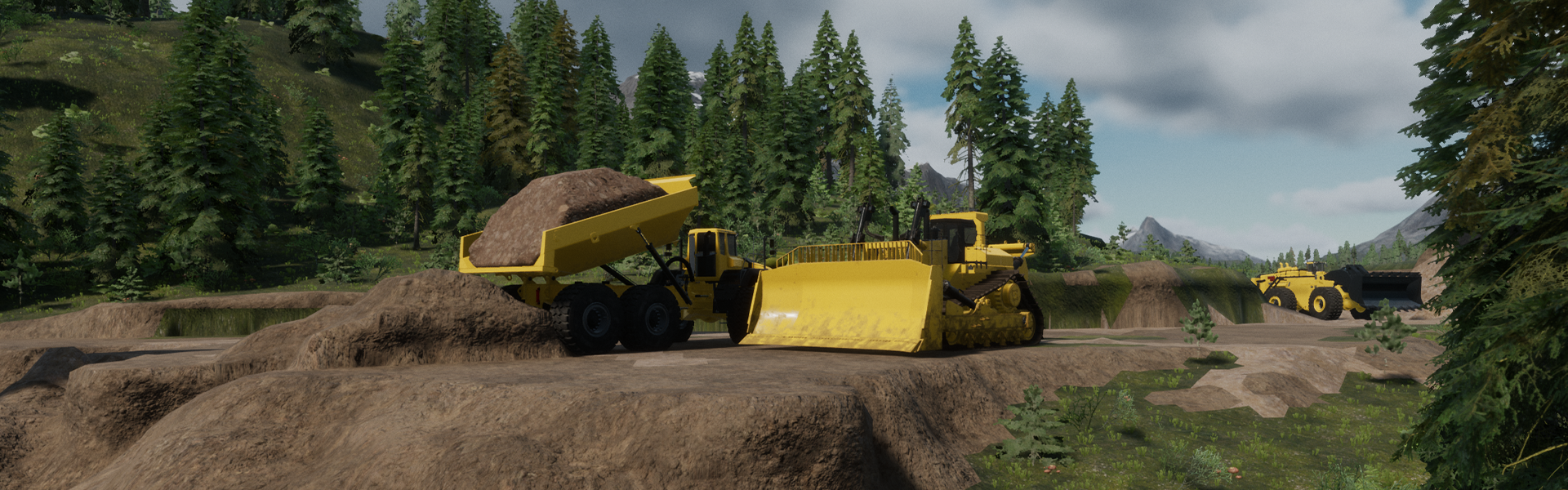
OVERVIEW About this vehicle
This is an example vehicle description.
Rock trucks are used to transport large amounts of material around mining sites.
CONTROLS & OPERATION Operating instructions
Vehicle controls and operating instructions will appear here.
ADDITIONAL INFORMATION Extra details
Additional information about the vehicle.
Vehicles & Equipment › Rock Trucks › Rock Truck 01
All vehicle details and specifications above are placeholders for testing the layout.
3. Click Show preview At the bottom of the MediaWiki editor, click Show preview.
You should see the complete page with the banner, navigation, description, infobox and bottom breadcrumb links.
4. Test the category navigation Once you save both sandbox pages, you can navigate between them:
Rock Trucks Category
User:Tattecko/RockTrucksSandbox
Rock Truck 01 Details
User:Tattecko/VehicleTest
To make the category link open your test vehicle, edit RockTrucksSandbox and change one vehicle list entry to:
Then save both pages and test the links.
Note: The test page's categorypage points to your sandbox. When you create the real vehicle page, change it to Rock Trucks.